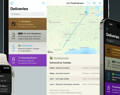
Deliveries 9.7.2 for iOS Deliveries helps you keep track of all your packages, so you always know when they’re going to arrive….
Updated October 15th: Starting with Deliveries 9.6.2 and service update 261 or later, U.S. Postal Service shipments are updated through deliveries.app. This is a necessary change due to changes with the U.S. Postal Service tracking system. Learn more about this change.
Deliveries 9.7 is now available with a new look for macOS 26 and later. Deliveries 9.6.3 or later fixes issues with USPS. Note: UPS and FedEx tracking information is no longer available in the app. See the latest service updates.
Deliveries 9.7.2 for iOS Deliveries helps you keep track of all your packages, so you always know when they’re going to arrive….
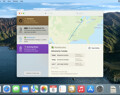
Deliveries 9.7 for Mac Deliveries helps you keep track of all your packages, so you always know when they’re going to arrive….
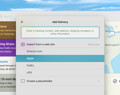
Add to Deliveries 1.3 Browser Extension This browser extension will allow you to quickly add a tracking number to Deliveries using Google Chrome,…