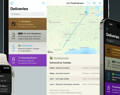
Deliveries 9.6 for iOS Deliveries helps you keep track of all your packages, so you always know when they’re going to arrive….
| Update 257, September 16, 2023 Improved date detection for Apple Japan. |
| Update 256, July 25, 2023 UPS tracking information is no longer available in the app. Updated for changes to OnTrac and Aramex Shop and Ship. Improved date parsing for Amazon overnight deliveries. Improved mapping for DHL. |
| Update 255, October 24, 2022 Deliveries 8.4.3 or later for iOS or Deliveries 3.2.2 or later for Mac is now required for full support. Deliveries 9.3.2 or later is recommended. You’ll still be able to use the “view online” button in older versions, but the status will show “this shipment can only be viewed online.” |
| Update 254, April 4, 2022 FedEx tracking information is no longer available in the app. Fixed issues with Post.at and OnTrac. Apple orders shipped by JapanPost now include complete tracking information. |
| Update 253, March 28, 2022 Fixed incorrect “view online” links for FedEx. |
Deliveries can download service updates automatically—they’re instructions that let Deliveries know how to look up your shipment information. If FedEx or Apple changes their web site, we can just publish a service update, and you’ll get it automatically, without having to download a new version of the app. To get the latest service updates, make sure you have any of the following:
Deliveries will check for updates once a week, or once a day if there’s a problem with any of your deliveries.
Usually you don’t need to do anything—it works automatically. But if you think something’s wrong, you can reset your service updates and force them to refresh immediately.
Force Deliveries for iOS to update:
Force Deliveries for Mac to update:
Force Delivery Status Dashboard Widget for Mac to update:
Deliveries 9.6 for iOS Deliveries helps you keep track of all your packages, so you always know when they’re going to arrive….
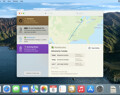
Deliveries 9.6 for Mac Deliveries helps you keep track of all your packages, so you always know when they’re going to arrive….
Add to Deliveries 1.3 Browser Extension This browser extension will allow you to quickly add a tracking number to Deliveries using Google Chrome,…