September 4, 2015. We’ve completely redone iCloud syncing in our apps to make it faster and more reliable than ever. Because this is a major change, you’ll need to make sure to update all your devices to continue syncing. Here are the versions that work together: Deliveries • Deliveries 6.2 for iOS. To find the version number, tap the gear icon and look below the Junecloud logo. You can download the latest… Read more »
May 20, 2015. There’s a search field at the top of the Deliveries list. Select that, and buttons will appear that allow you to show active deliveries, archived deliveries, or all of your deliveries. You can also search by item name, shipping company, tracking number, last known location, and so on. Read more »
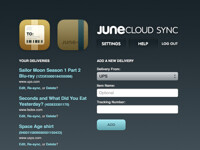
April 22, 2015. Deliveries for iOS, Deliveries for Mac, Notefile for iOS, and Notefile for Mac all sync automatically using iCloud. If you’d like a bit more control, you can also sync using our own Junecloud Sync service. Junecloud Sync gives you a couple of features you won’t get with iCloud: • Edit your deliveries and notes in any web browser. • Add deliveries just by forwarding an email. • If you… Read more »

December 16, 2014. Junecloud has once again joined with several other independent developers for App Santa, bringing you award-winning apps at up to 80% off for Christmas. Deliveries for iOS is 40% off, and Deliveries for Mac is on sale for the first time ever at 20% off. You’ll find significant discounts on other great apps like Launch Center Pro, Screens, and many more. Happy holidays to everyone, and thank… Read more »
November 26, 2014. Unfortunately it’s not possible for a Dashboard widget to sync directly with iCloud. We do have a full Mac app available on the Mac App Store that includes iCloud syncing and many other features that aren’t possible in a Dashboard widget. If you need to sync with the Dashboard widget, you’ll need to use Junecloud Sync. Read more »