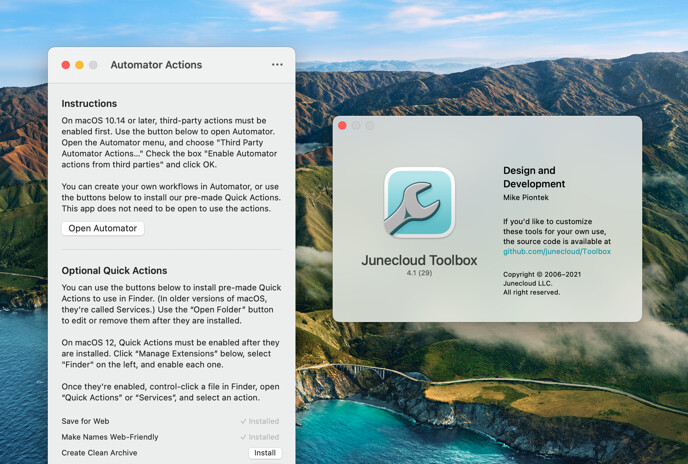

Junecloud Toolbox 4.1
Requires macOS 10.12 or later (Sierra, High Sierra, Mojave, Catalina, Big Sur, or Monterey). For OS X 10.4 through 10.11, download an older version.
Need help?
If you have any questions, please see Junecloud Toolbox Help.
Junecloud Toolbox includes a variety of Automator Actions and a Safari Extension. These tools are designed to take some of the tedium out of your work. Many of them were created specifically for web designers and developers. However, if you’re not either of those, you may still find them useful.
For information about each tool, see below. If you’re new to Automator, you can learn about it here. If you’d like to customize these tools for your own use, the source code is available on GitHub. Junecloud Toolbox was previously named Junecloud Automator Actions.
Included Automator actions
- Save for Web (previously Save as JPEG) exports images in JPEG, GIF, or PNG format. Options allow you to constrain the image to a maximum width and height, and sharpen the image after resizing.
- Make Names Web-Friendly converts the names of files to all lowercase, removes accents, changes spaces to underscores or dashes, and converts other special characters to underscores or dashes.
- Create Clean Archive creates a clean zip format archive (.zip) that’s ready to share with others. Macintosh resource forks and desktop files will be ignored so they don’t get in the way on other operating systems. If you’re uploading the file online, use the action “Make Names Web-Friendly” afterward to ensure the archive has a web-friendly file name.
- Create Symbolic Link creates a symbolic link for each of the selected files. A symbolic link is similar to an alias, except that many applications, including the Create Clean Archive action, will see only the file points to rather than the alias itself.
- Hide or Show Extensions hides or shows the file extension of the selected files.
Included Safari extensions
- Copy Short Link looks for an official short link to the current web page, and copies it to your clipboard. This is based on our old “Make It Short” extension, but it only looks for official short links—third-party URL shortening services are not included.
Update history
New in version 4.1:
- Updated for macOS Monterey
- Updated for Apple Silicon
- Updated icon
- Updated instructions for the latest macOS versions