
May 19, 2010. We’re going to get some shirts printed up—we just need to decide is how many of each size to order. If you’re interested, fill out the form below to let us know. We’ll be selling them and offering some as giveaways, so if you like the shirt but don’t want to buy one, answer anyway. Unisex shirts will be American Apparel 2001 Fine Jersey Tees. Girly shirts will be American Apparel 2102 Girly… Read more »

May 11, 2010. New in this update: • Compatible with Photoshop CS5 • Saving a PNG with Photoshop will now preserve transparency Download Save for Web 2.4.1 beta 1 and let us know how it works for you in the comments below. For more information and installation instructions, check out our Junecloud Automator Actions. Read more »

April 3, 2010. Click here to follow us on Twitter. We’ll be giving away free copies of Delivery Status all weekend—for iPad, iPhone, and iPod touch. Note that Apple only allows us to give promo codes for the US store. Read more »
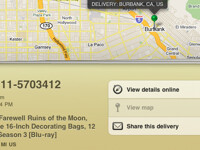
April 1, 2010. Coming soon very soon. Update: We have a few more things to share with you: • Delivery Status touch 4.0 will be a universal app for iPhone, iPod, and iPad. • It will be a free update if you already own Delivery Status. • While the iPhone and iPod version has no major changes, it does have a fresh coat of paint, and you’ll find it easier to manually add new deliveries. • It will be… Read more »

April 1, 2010. I often drag files to folders in my dock. If you’ve done this you probably already know why it’s frustrating: if you don’t drag the file to just the right spot, the folder will slide out of the way. If you’re actually trying to add the file directly to the dock, that’s pretty useful, but otherwise it can be pretty frustrating. The Dock has a little-known secret though: you can lock it…. Read more »