April 5, 2022. Deliveries began as a hobby—it was first released as a Dashboard widget named “Apple Order Status” on January 22, 2006. Over time more services were added, and the name and icon evolved along with it. Eventually it became an iOS app named “Delivery Status touch” on September 19, 2008, shortly after Apple first launched the App Store. When I first created the widget I never imagined I’d still be… Read more »
December 3, 2021. iCloud will sync your archived items between devices, and you can use both iCloud and Junecloud sync together if there are features of Junecloud sync that you need. You can also manually transfer your complete list of deliveries if you ever need to. First, choose the device that has the most complete list of deliveries, and follow the relevant instructions below. Export your deliveries on… Read more »
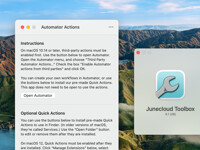
November 8, 2021. Junecloud Toolbox includes a variety of Automator Actions and a Safari Extension. These tools are designed to take some of the tedium out of your work. Many of them were created specifically for web designers and developers. However, if you’re not either of those, you may still find them useful. For information about each tool, see below. If you’re new to Automator, you can learn about it… Read more »
October 6, 2021. There’s a bug in iOS 14 or later that can cause widgets to disappear temporarily, especially after an app is updated. In most cases this can be fixed with the following steps: - Restart your iPhone or Restart your iPad - Open Deliveries once - Add the widget on your iPhone or add the widget on your iPad Read more »
September 23, 2021. In most cases this problem should be fixed by installing Deliveries 9.2.1. If you continue to have problems, try the steps below. On a Mac - If Deliveries is open, open the “Deliveries” menu and choose “Quit Deliveries”. - In Finder, open the “Go” menu and choose “Go to Folder…” - Enter this path: ~/Library/Group Containers/PB4R74AA4J.com.junecloud.Deliveries/ - Click “Go” - You’ll see… Read more »