Using Junecode for a site that isn’t a blog

In reply to this entry, Nathan asked:

Had to give this a [go]. Some really slick stuff, and a nice simple admin interface, but would I be correct in assuming this is more intended as a “blogging platform” rather than a proper CMS? As far as I can see it’s all about posting entries, and there’s no apparent way of setting up pages, in a site tree, with possibly multiple areas on the page to edit.

Good question! It is designed around the basic concept of a blog editor, but it’s also designed to be flexible enough that it can be easily adapted to any type of site. Most of the sites I use it for aren’t blogs, actually. Anywhere Road is a good example on a non-blog site I’ve built using Junecode (complete with AJAX), and the old Tense Code site is another good one. It’s all a matter of how you set up your templates.

Each entry is a separate page. If you don’t want all those pages to appear in the main directory listing you simply mark them as hidden. This allows you to link to those pages however you choose. Alternatively you might want to list only the titles of those pages (for your sub-navigation, for example). To do that you leave the entries public, but alter the template to show only the titles and links. Here’s an example of that in use. Each part in the Ford GT sidebar is an entry.

For other types of sidebars you’ll want to use hidden entries as well. The Page field becomes important here. Here’s an example of what you might insert in your template:

<junecode:entries dir="journal/junecode" page="sidebar">
<junecode:entrytext />
</junecode:entries>

This snippet would look for an entry in the current directory (category) with the Page name “sidebar”, and insert its text. This example would give you the same sidebar for every page in a directory. If you wanted each page to have a different sidebar, you could change the first line to this:

<junecode:entries dir="journal/junecode" page="using-junecode-for-a-site-that-isnt-a-blog-sidebar">

In this case, a page named “sample” would look for an entry named “sample-sidebar” and display that page as the sidebar, if found. My own site is a good example of this in use. The “About Me” section on this page, and other sidebars throughout the site, are separate entries inserted this way.

Yet another way to do a sidebar—especially if it’s just a short bit of text—is to add a meta data field in the Options section of the site editor. That will give your entries a new field where you can enter the sidebar text. You can insert that text in your template like this:

<junecode:metadata name="sidebar" />

Those are just a few examples. You could also show an entry from one category on one area of the page, and list pages in a different category on another area of the page. There are a ton of different ways you can build up the page, depending on what you need to do.

This setup may not be the most intuitive, but I think some learning curve is unavoidable when you’re building a complex site with a CMS. My focus has been on removing a lot of the tedium that comes along with web design, without having to sacrifice the flexibility of building a site by hand. Of course the content needs to be easily editable by anyone as well, which is the main purpose of any CMS. I think I’ve accomplished these things pretty well… It has certainly made working on my own sites much easier, and my clients seem to get the hang of editing their sites very quickly. Even if I’m the one updating the site, I’m able to do it much faster with Junecode.

Eventually I’ll be including some themes with Junecode that are designed for common non-blog types of sites. Like a photography portfolio, or a band site. I’ll probably also put together some tutorials on how to handle customization options like the examples above. Further down the line I’m hoping to create a template generator that will allow you to create templates using drag and drop, which should bring that initial learning curve way down. That one is still a long way off, but it’s something I’ve been tinkering with for a while now.

Introducing Junecode 3.0 (formerly Tense Code)

After a year and a half of work, I’m excited to present the first beta of Junecode 3.0, my web site content management system. In short it’s a piece of software that makes creating, editing, and maintaining a web site easier. You may know it better as Tense Code, which is what I was calling it until about a month ago. I’ll explain more about the name change in the future, but for now let’s talk about what’s new in Junecode 3.0. The list is very, very long, but here’s a quick rundown of the best of it:

  • All new design and improved navigation. Many areas have been tweaked to make it easier to get around and edit your sites. It’s also fully optimized for the iPhone and iPod touch, so you can access nearly every feature from anywhere.
  • Re-order categories just by dragging them around.
  • Unlimited metadata. It’s now easy to add various extra fields to your entries. Add a text field for the music you’re listening to, a pop-up field for a star rating, a checkbox for whether or not you want a muffin right now, or anything else you can think of.
  • Automatic Google Sitemaps.
  • Fully customizable contact forms are now as easy as editing a template (which is as easy as editing HTML).
  • Display RSS feeds on your site. (I use this along with the clippings feature in NetNewsWire to post news I find interesting on my site.)
  • Bookmarklets (or Favelets) for quickly posting stuff you find online to your own site.
  • Take your site down for maintenance with a couple clicks if you’re working on a new template, rearranging categories, etc.
  • Improved features for dealing with spam: spam detection is improved. You can delete multiple comments at once. Moderation emails look nicer and they’re easier to use. Contact forms have spam detection and they’ll present a captcha if they’re suspect.
  • Many different languages are now supported, including Japanese, Chinese, Arabic, and more. Junecode’s own text is presented only in English, but you can use it to create a site it any language now. Various special characters are automatically dealt with too, which makes life a lot easier if you’re pasting it text from a Word document, for example.
  • Much better compatibility. Among other things, it longer relies on DOCUMENT_ROOT. I’ve tested myself on Dreamhost and GoDaddy servers, but it should work just as well with many other web hosts. Installation is much easier too!
  • Optional caching. On average pages will load 3-4 times faster when they’re cached, because it’s just displaying a file instead of doing a ton of database lookups and parsing templates.
  • Many many bug fixes and security enhancements.

Aside from all that, and all the little features I didn’t mention, there are a couple of other big things in the works:

  • Online store support. Adding a product is now as easy as adding an entry. You add different formats for things like shirt sizes, CD vs. MP3, and so on.
  • Download sales are supported so it’s easy to sell songs or other files online.
  • Payments can be handled by PayPal or through the mail. PayPal Payments Pro is supported too, so you can accept credit cards directly on your site.
  • FedEx can be used for automatic shipping calculation (or you can enter set prices for shipping if you prefer).
  • Mailing list support. You can now manage all your contacts right alongside your site, and create beautiful HTML emails as easily as creating any other template. Custom tags are supported in emails so you can automatically insert your latest entries, products for sale, or whatever you want.

These store and mailing list features are not included in this beta. They’re currently undergoing a private beta, and they will only be available with a paid license. The rest of the software will continue to be free for personal and non-profit use!

Of course there’s also a new Dashboard widget for Mac users:

Aside from the new look, the widget also has some new features:

  • You can now drop multiple files onto the widget at once (and then open them all in your browser with a single click).
  • You can now copy the URLs of the uploaded files after they’ve uploaded (using command-c). Due to a bug in Dashboard this feature probably won’t work for most people right now, but once Apple updates Safari it should start working.

If you’d like to try it out you can download Junecode 3.0 beta below. I’ve been using this for a while now myself and I think it’s pretty solid. However it hasn’t been widely tested, so I recommend some caution. If you’re upgrading from Tense Code, I strongly recommend that you back up your database and your files before you proceed. Also please note that the help has not been updated yet. Most of it is still true, but you’ll probably find many things are missing or inaccurate.

Updated in beta 2 on November 12th, 2008

  • The Junecode logo will now display correctly in Internet Explorer
  • Miscellaneous bug fixes
  • Added a juneindex:audio tag
  • Added a hidden argument to the juneindex:files tag (a comma-separated list of file names to skip, including extensions but not paths)

Downloads

Download Junecode 3.0 beta 2 (see instructions for requirements)
Download Junecode widget 3.0 beta 2 (requires Mac OS X 10.4.3 or later)

Let me know what you think in the comments below!

Tense Code 3.0: a quick tutorial

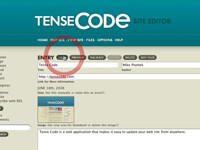
This entry is part of a series showing off the new features in Tense Code 3.0. Tense Code is a content management system that makes creating and updating web sites much easier.

If you’re not familiar with how Tense Code works, here’s a quick tutorial to show you the basics. There’s no narration, but it should be fairly straightforward. Here’s what you’ll see in this video:

  • Logging in and selecting a site to edit
  • Viewing your existing web site
  • Adding a new entry
  • Uploading an image with the entry
  • Selecting categories
  • Previewing and validating your new entry
  • Saving the entry and then viewing the updated site

« NEWER | 1 | 2 | OLDER »

SUBSCRIBE TO THIS SITE »