Delivery Status 4.3 beta 3
PLEASE NOTE: Based on your feedback I’ve decided that the installer will no longer be included with Delivery Status—it is now a standard widget download, just like any other. Because of the new History button I’m sure many of you will find that you don’t miss the installer at all. For those of you that do miss the Smart Upgrade option, it’s still available as a separate download, now called Smart Widget Installer.
If you think this is a huge improvement, the worst idea ever, or you don’t even care at all, let me know in the comments! This has been a tricky decision but I think most will agree it’s an improvement.
Here’s a list of the other changes in this version:
- Added Poste Italiane (Paccocelere1, Paccocelere3, Postacelere1, PaccocelereMaxi, and PaccocelereInternazionale), thanks to Claudio Procida of Emeraldion Lodge
- The item name is now displayed even if your settings are not complete (rather than showing a blank widget) which is useful if you want to make note of an item you don’t have a tracking number for yet
- Fixed Posten (Sweden) tracking
- Fixed a bug with UPS Mail Innovations tracking
- Fixed a bug where Growl would sometimes display unnecessary messages
- Fixed a bug where the links to Growl, help, donate, and visit my site would not work correctly when Apple or Parcelforce was selected (new in beta 3)
- Updated to Growl framework version 1.1.3 (new in beta 3)
This beta is now closed, thanks for all your help!
New Automator Actions beta 2
I’ve been working on some updates to my automator actions for a while now, and I figure this is a good time to finally kick them out the door. These new versions fix some bugs in Leopard and add a number of new features.
Save for Web 2.3:
- Added an option to save files in the same folder as the originals
- Added an option to delete the original files after saving
- Color profiles are now converted to sRGB before saving (with both Photoshop and Preview)—in particular Preview now handles CMYK files far better
- Fixed a bug in Leopard where the action would fail if Photoshop wasn’t already open
- Fixed a bug in Leopard where actions following Save for Web would not work correctly
Make Names Web-Friendly 2.3:
- Added an option to not change the case
- All characters that are not considered web-friendly or translatable are now removed (Asian language characters, for example)
- Now shows up in the Files/Folders section of Automator in Leopard
Create Clean Archive 1.1:
- Added an option to save files in the same folder as the originals
- Added an option to delete the original files after archiving
- Added an option to exlude all files and folders that start with a period (for example, .htaccess files)
- Now shows up in the Files/Folders section of Automator in Leopard
Create Symbolic Link 1.0.1 and Change Extensions 2.1.1:
- Now shows up in the Files/Folders section of Automator in Leopard
In addition to all the above, this version also includes a brand new installer that should work more reliably. (Apple has some new installer options in Leopard that allowed me to create it with far less effort and no scripting of my own.) I’ve also included an uninstaller script this time around.
Update: I’ve just put up another new beta. The actions above are relatively unchanged in this update, but I’ve added a couple of new ones and I’ve come up with yet another installation option. People were still having problems with the installer, so I’ve decided that a somewhat manual installation will just be easier for everyone. The nice thing is that in Leopard, you can just double-click an action to install it. So that’s all you have to do! You should be able to use them in Tiger as well if you drop them in your home/Library/Automator/ folder. The sample workflows are still included, so you can open them up and save them as Finder plug-ins, or whatever else you like. The uninstaller is also improved in this version. Here’s a bit of info on the new actions:
Hide Extensions 1.0
This action hides the file extension of the selected files.
Find Finder Items by Label 1.0
This action finds items in the Finder based on their label color. Just select the files or folders you want to search, pick a label, and it will return only the items that match that label.
Oh and by the way, I’ve decided to stop calling these “Automator Actions for the Web” or “Automator Actions for Web Designers”, since most of them can be used for quite a few different purposes. Feel free to call them “Automator Actions by Mike Piontek”, or just refer to them by their individual names.
Download Automator Actions beta 2. This is a beta so I recommend a little extra caution, particularly with the options that delete the original files. If you run into any problems please let me know in the comments below!
Tense Code 3.0: a new look and iPhone support
Tense Code 3.0 is in the middle of an extensive private beta test, and I hope to make a public beta version available later this month. This is a huge update and I’m really excited about it, so I thought I’d start posting about some of the new features. I’m pretty proud of this software—if you’re updating your site manually, or not happy with the tools you’re using now, I think it’s worth your time to take a gander.
The first thing you’ll notice about Tense Code 3.0 is that it has a new look. The most obvious is a new color palette that’s easier on the eyes.
There’s some change in wording too—you won’t see Tense Tools, Tense Log, or Tense Admin anymore. It’s all just Tense Code now, with different areas including the site editor, settings, and home page. Some people might feel that the large logo at the top is an awful waste of space. On my large 24" iMac display I actually like having the content lower on the page, so the logo just adds some visual interest and a nice big link back home. But if you don’t agree, no problem: just click the double arrows in the top-right corner. The top of the page collapses instantly and you’ll see the new minimized mode.
There’s also a Home link ever-present in the navigation bar, since many people didn’t realize you could click the logo to get to the home page. That’s one of many adjustments I’ve made in response to people’s feedback.
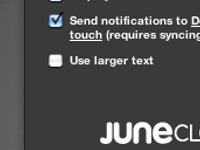
As you can see at the top of this post, Tense Code is also now fully optimized for the iPhone and iPod touch. It was already usable of course, but now you can get things done much faster without a lot of zooming and panning around. Nearly every feature is available in the iPhone and iPod touch version, including automatic draft saving, live previews, file management, even template editing. The only features missing are tooltips (the rest of the help is there), reordering of categories, and file uploading. (With a little luck Apple will enable file uploading in a software update, and it should work automatically with Tense Code.)
Oh and if you need extra room, just turn your iPhone sideways. Everything with expand to take advantage of the extra room.
What do you think? Let me know in the comments below. In my next post I’m hoping to put together a short screencast so you can see exactly how Tense Code works.
« NEWER | 2 | 3 | 4 | 5 | 6 | 7 | 8 | 9 | 10 | 11 | 12 | OLDER »
Songs
This is what we’re listening to right now:

Phantom Limb
by The Shins
Blogs
This is what we’ve been reading recently:
- Let Me Google That For You Teaches You How To Google [Google]
- Park Bench-Sized Ghetto Blaster Plays Music Via Bluetooth [Boom Bench]
- Coraline Site Up
- ★ Google Mobile Uses Private iPhone APIs
- VIDEO: Here's a demo of some thoughtful UI on Ffffound.com.
- Ana Serrano
- Release day
- Finally, Lasers That Heal Wounds Rather Than Creating Them [Science]
View more
Design
Business Cards My new business cards finally showed up today, and they look awesome. Same as with the…
Welcome to Junecloud! When I first started running my own business full time a few years back, I really wasn’t…
Delivery Status touch icon Above you can see how the Delivery Status icon progressed from sketch to finished…