Notefile for Mac 1.2 Available on the Mac App Store Notefile lets you make quick notes and view them easily, on all your…
Delivery Status URL scheme
Delivery Status touch has a URL scheme for showing deliveries and adding new ones. These URLs can be useful in bookmarklets or apps like Launch Center. If you log into our sync site on your iPhone, add a delivery if necessary, then tap the item name or tracking number, you can see an example in action.
Delivery Status touch 4.5 or later is required for the following URL schemes. Note that deliveries: URLs will give an error if Delivery Status is not installed, and these URLs will only work on iOS devices.
Opening Delivery Status touch
deliveries:
This URL will simply open the app, and nothing else.
Showing a delivery in Delivery Status touch
deliveries://show?no=12345678
deliveries://show?no=12345678&from=www.ups.com
Use a URL like this to search for a delivery, refresh it, and show it.
Adding a delivery directly to Delivery Status touch
deliveries://add
deliveries://add?from=www.ups.com&name=Title&no=12345678
deliveries://add?from=www.amazon.com&no=12345678&extra=user%40domain.com
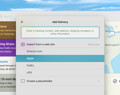
Like the “show” option, “add” will search for a delivery with that tracking number, then refresh it and show it. However “add” will also add the delivery if it’s not found. If there’s not enough information (“no” or “from” is missing) then the “Add Delivery” screen will open so the rest can be filled in.
Adding a delivery through Junecloud sync
It’s also possible to use URLs in a slightly different format, which will work on any computer or device:
https://junecloud.com/sync/grab/?from=www.ups.com&name=Title&no=123
https://junecloud.com/sync/grab/?from=www.amazon.com&no=123&extra=user%40domain.com
Clicking one of these links on a Mac or Windows computer will give the option to log in to a Junecloud sync account and add the delivery. Clicking one of these links on an iPad, iPhone, or iPod touch will open Delivery Status (if it is installed) and add the delivery automatically.
From values
Here are the possible values for the “from” value:
- www.adobe.com – Adobe (US and Canada)
- www.amazon.com – Amazon.com
- www.amazon.ca – Amazon.ca
- www.amazon.co.uk – Amazon.co.uk
- www.amazon.co.jp – Amazon.co.jp
- www.amazon.de – Amazon.de
- www.amazon.at – Amazon.at
- www.amazon.es – Amazon.es
- www.amazon.fr – Amazon.fr
- www.amazon.it – Amazon.it
- www.apple.com – Apple
- www.apple.com/japan – Apple – Japan
- www.apple.com/hk – Apple – Hong Kong
- www.aramex.com – Aramex
- auspost.com.au – Australia Post
- em.canadapost.ca – Canada Post
- www.city-link.co.uk – City Link
- track.dhl-usa.com – DHL – Express
- www.dhlglobalmail.com – DHL – US GlobalMail
- nolp.dhl.de – DHL – Germany
- www.dhl.co.uk – DHL – UK Domestic
- www.dpd.com – DPD – Germany
- www.fedex.com – FedEx
- www.gls-germany.com – GLS
- checkout.google.com – Google Checkout
- www.hlg.de – Hermes Logistik Gruppe – Germany
- www.hongkongpost.com – Hongkong Post
- www.japanpost.jp/ems – Japan Post – EMS
- www.japanpost.jp/m10 – Japan Post – Morning 10 Overnight Mail
- www.japanpost.jp/reg – Japan Post – Registered Mail
- www.japanpost.jp/yupack – Japan Post – Yu-Pack
- www.laposte.fr – La Poste
- www.lasership.com – LaserShip
- www.ontrac.com – OnTrac
- www.parcelforce.com – Parcelforce
- www.post.at – Post – Austria
- www.postdanmark.dk – Post Danmark
- www.poste.it/posta1 – Poste Italiane – Postacelere1 Plus
- www.poste.it/pacco1 – Poste Italiane – Paccocelere1 Plus
- www.poste.it/maxi – Poste Italiane – Paccocelere Maxi
- www.poste.it – Poste Italiane – Paccocelere3
- www.poste.it/pacco – Poste Italiane – Paccocelere Internationale
- www.poste.it/ems – Poste Italiane – EMS
- www.posten.no – Posten – Norway
- www.posten.se – Posten – Sweden
- www.tntpost.nl – PostNL
- www.purolator.com – Purolator
- www.royalmail.com – Royal Mail
- www.sagawa-exp.co.jp – Sagawa Express
- www.post.ch – Swiss Post
- www.tnt.com – TNT – by consignment number
- www.tnt.com/ref – TNT – by reference number
- www.ups.com – UPS
- www.ups-mi.net – UPS Mail Innovations
- www.usps.com – US Postal Service
- www.kuronekoyamato.co.jp – Yamato Transport
- www.yodel.co.uk – Yodel
- other – Other
This list may change from time to time, so the options above may not be complete. If you log in to our sync site and view the source for the “Add a new delivery” form, you can see a full list of options there.
Software
Notefile for iOS 1.6 Available on the App Store Notefile lets you make quick notes and view them easily, on all your devices.…
Delivery Status touch 4.8.2 Available on the App Store Delivery Status touch will help you track packages from UPS, FedEx, USPS, DHL,…