
My First WWDC Above: Apple’s live App Store wall at WWDC. It showed icons of 20,000 iPhone apps,…
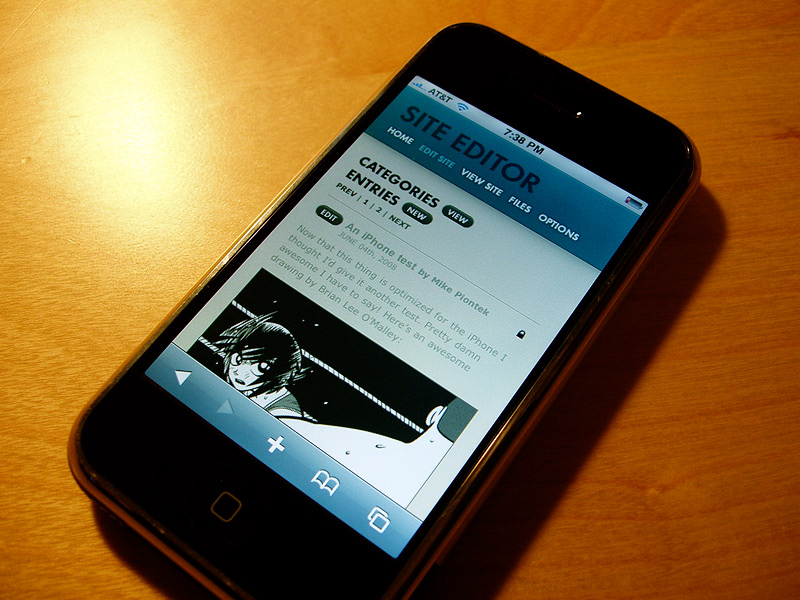
Tense Code 3.0 is in the middle of an extensive private beta test, and I hope to make a public beta version available later this month. This is a huge update and I’m really excited about it, so I thought I’d start posting about some of the new features. I’m pretty proud of this software—if you’re updating your site manually, or not happy with the tools you’re using now, I think it’s worth your time to take a gander.
The first thing you’ll notice about Tense Code 3.0 is that it has a new look. The most obvious is a new color palette that’s easier on the eyes.
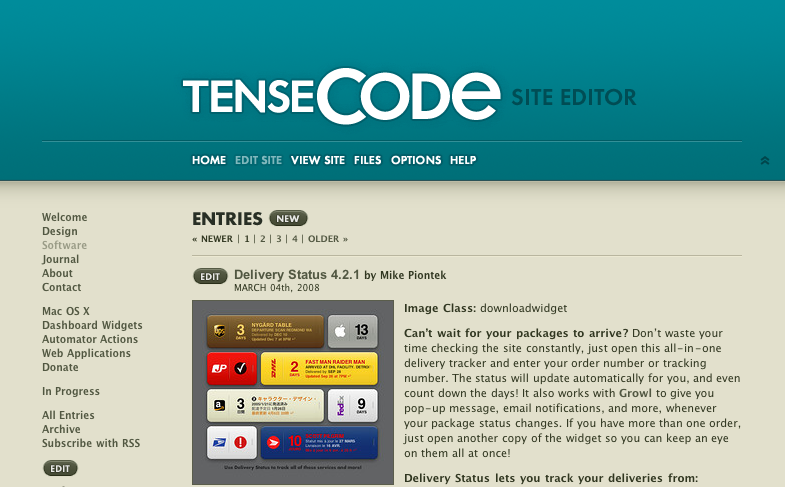
There’s some change in wording too—you won’t see Tense Tools, Tense Log, or Tense Admin anymore. It’s all just Tense Code now, with different areas including the site editor, settings, and home page. Some people might feel that the large logo at the top is an awful waste of space. On my large 24" iMac display I actually like having the content lower on the page, so the logo just adds some visual interest and a nice big link back home. But if you don’t agree, no problem: just click the double arrows in the top-right corner. The top of the page collapses instantly and you’ll see the new minimized mode.
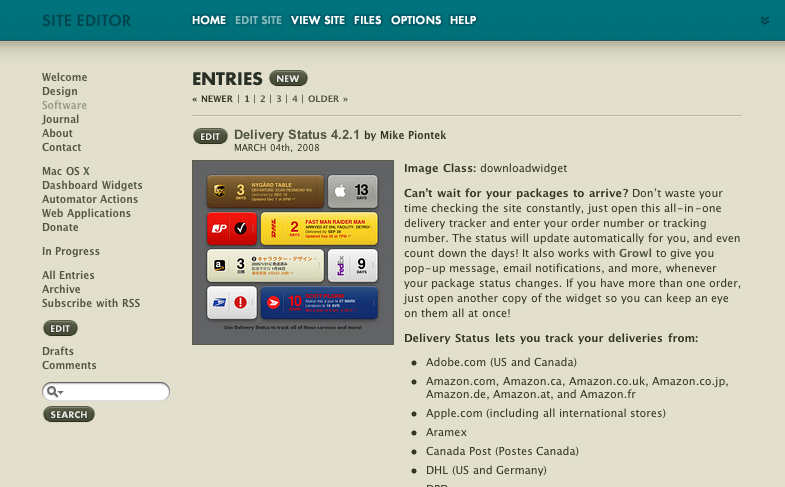
There’s also a Home link ever-present in the navigation bar, since many people didn’t realize you could click the logo to get to the home page. That’s one of many adjustments I’ve made in response to people’s feedback.
As you can see at the top of this post, Tense Code is also now fully optimized for the iPhone and iPod touch. It was already usable of course, but now you can get things done much faster without a lot of zooming and panning around. Nearly every feature is available in the iPhone and iPod touch version, including automatic draft saving, live previews, file management, even template editing. The only features missing are tooltips (the rest of the help is there), reordering of categories, and file uploading. (With a little luck Apple will enable file uploading in a software update, and it should work automatically with Tense Code.)
Oh and if you need extra room, just turn your iPhone sideways. Everything with expand to take advantage of the extra room.
What do you think? Let me know in the comments below. In my next post I’m hoping to put together a short screencast so you can see exactly how Tense Code works.
My First WWDC Above: Apple’s live App Store wall at WWDC. It showed icons of 20,000 iPhone apps,…
Getting creative with transparent PNGs for Delivery Status The old Delivery Status graphics system When I started the Delivery Status widget it…

Business Cards My new business cards finally showed up today, and they look awesome. Same as with…

Welcome to Junecloud! When I first started running my own business full time a few years back, I really…
Comments
This entry has no comments.